 Jonasz
For heating and air shops in Florida
Office software built around your shop.
Customers, the schedule, estimates, invoices and texts in one place, set up the way your office already works.
What software built for your shop gets you
Four things, in plain words. Pick one to see it. The four pictures here are drawings, and the real screens are in the walk further down.
Your office todayYour system
- How you book a jobThe schedule
- How you price itYour pricebook
- How you bill itInvoices
- How your techs workThe tech's phone
Set up the way your office already works.
Customers, the schedule, estimates, invoices and texts, under one login.
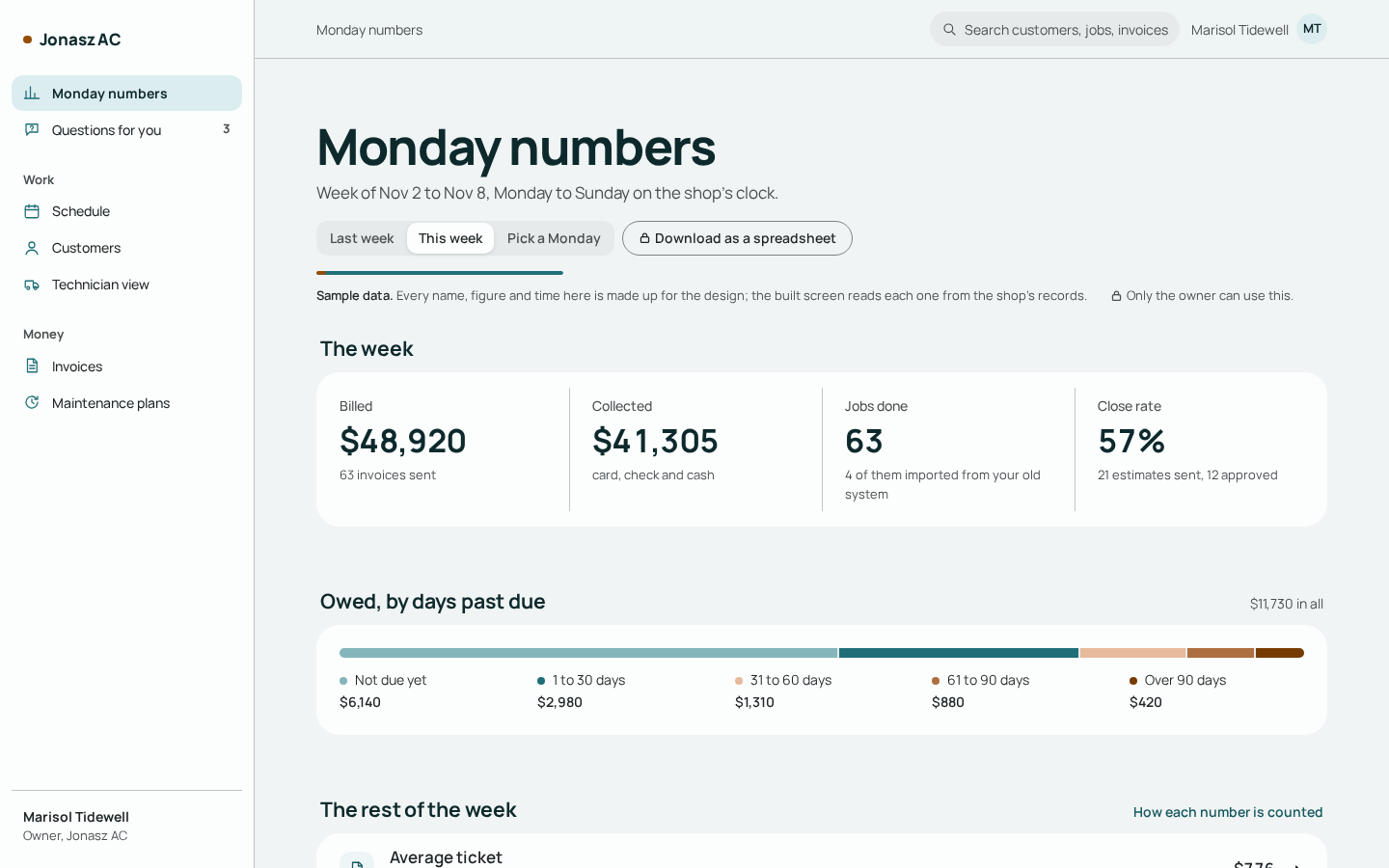
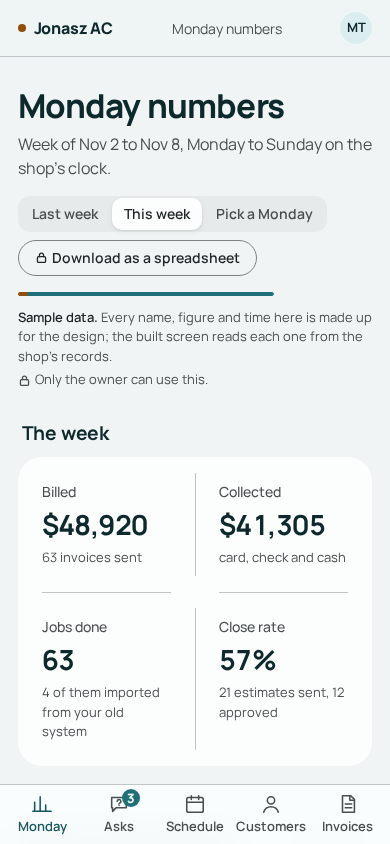
Last week, counted from your own records
- Billedfrom your invoices
- Collectedfrom your payments
- Jobs donefrom your jobs
- Close ratefrom your estimates
Open the Monday numbers any day to see last week from your own records, with how each one was counted.
What's in your export file
has to equal
- Moved across
- On a list, with the reason
Every customer, job, estimate, invoice and plan in your export either moves across or goes on a list with the reason it didn't.
A day in the office, screen by screen
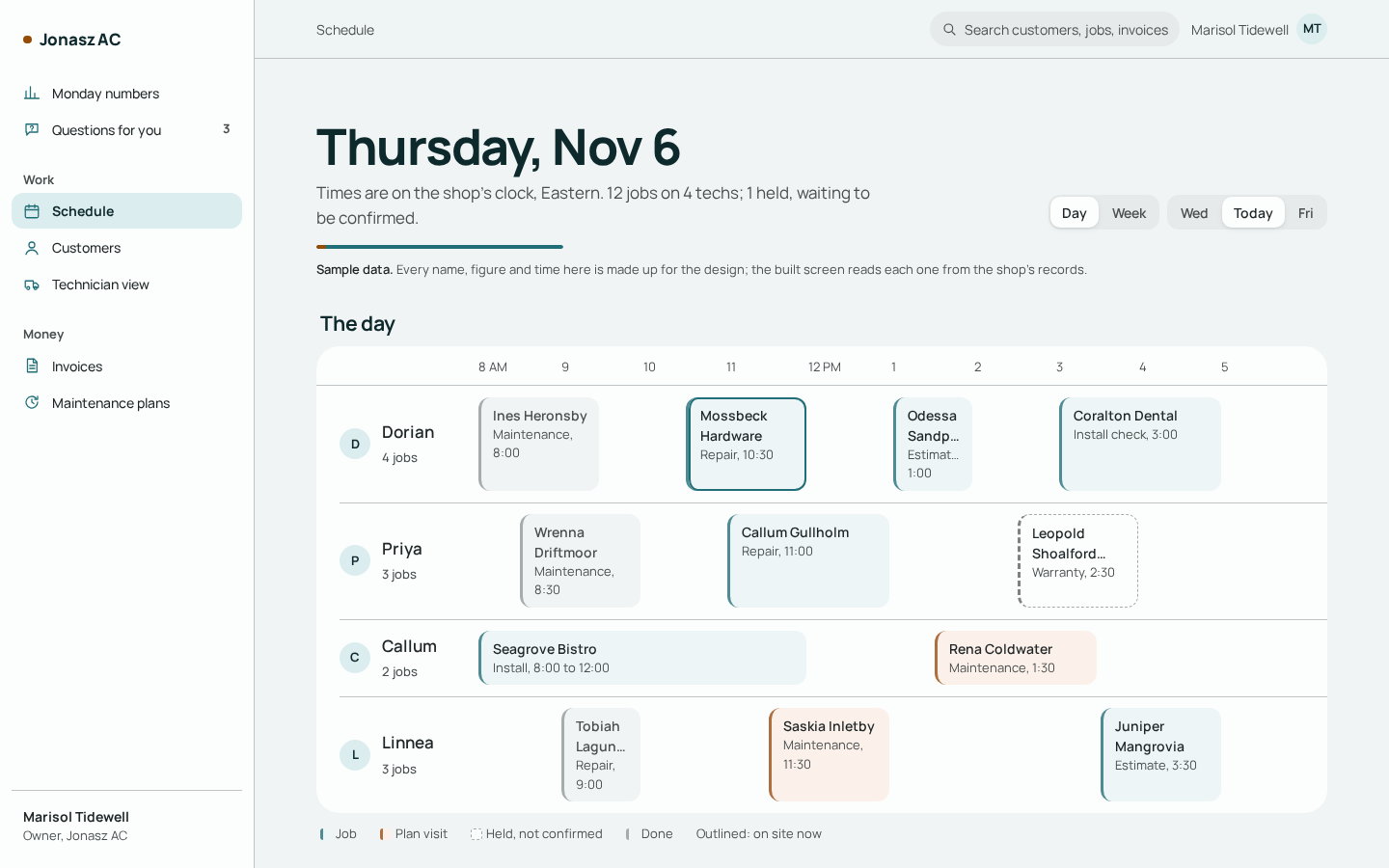
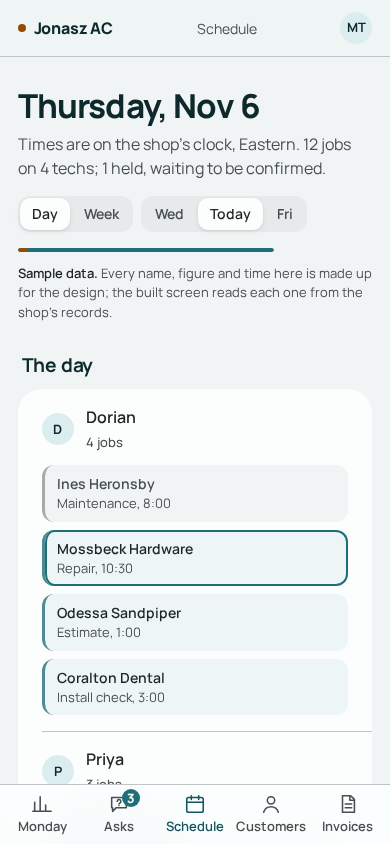
Four screens from the Jonasz system, in the order a job moves through the office. They're design screens with sample data, so every name and number on them is made up.
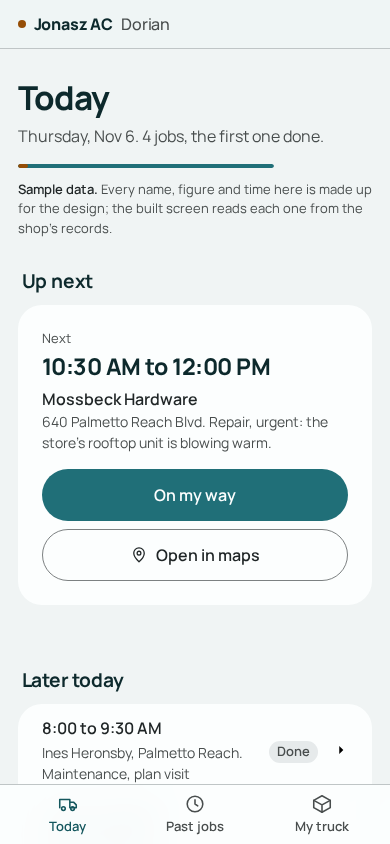
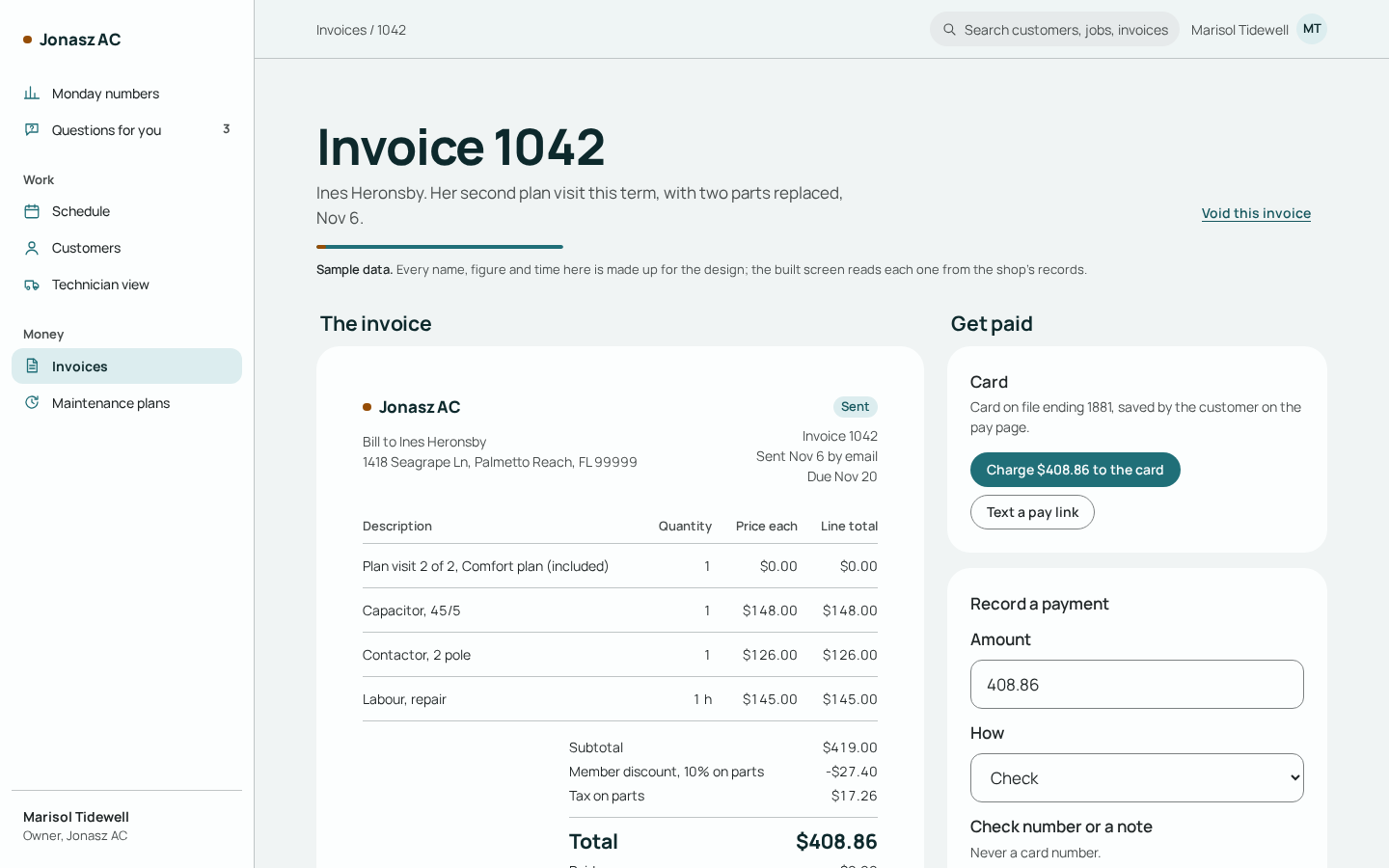
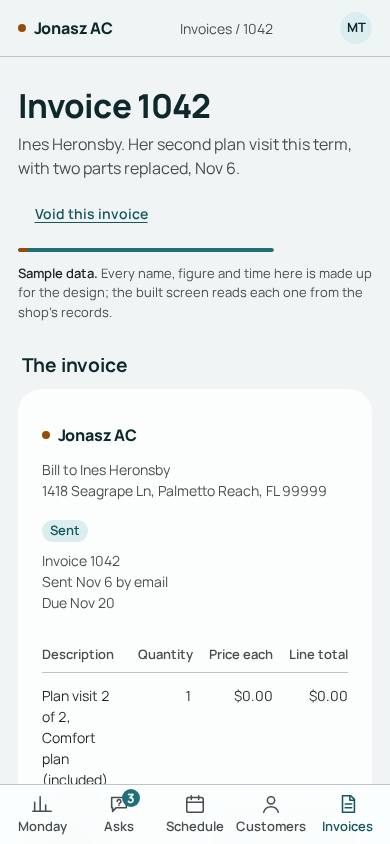
What we build
One system for the whole office. The core runs the day. Each add-on goes after one number you can measure.
The core
The part of the system every shop gets. One login for the whole office.
- Customers and their equipment
- The schedule
- The tech's phone view
- Your pricebook
- Estimates with options
- Invoices and payments
- Text drafts, and a draft reply to a missed call
- Review ask drafts
- The Monday numbers
Maintenance plans
Add-onThe plans you sell your members. The system keeps the list of who's due for a tune-up, and the renewal invoice can be drawn up before the plan runs out.
About maintenance plans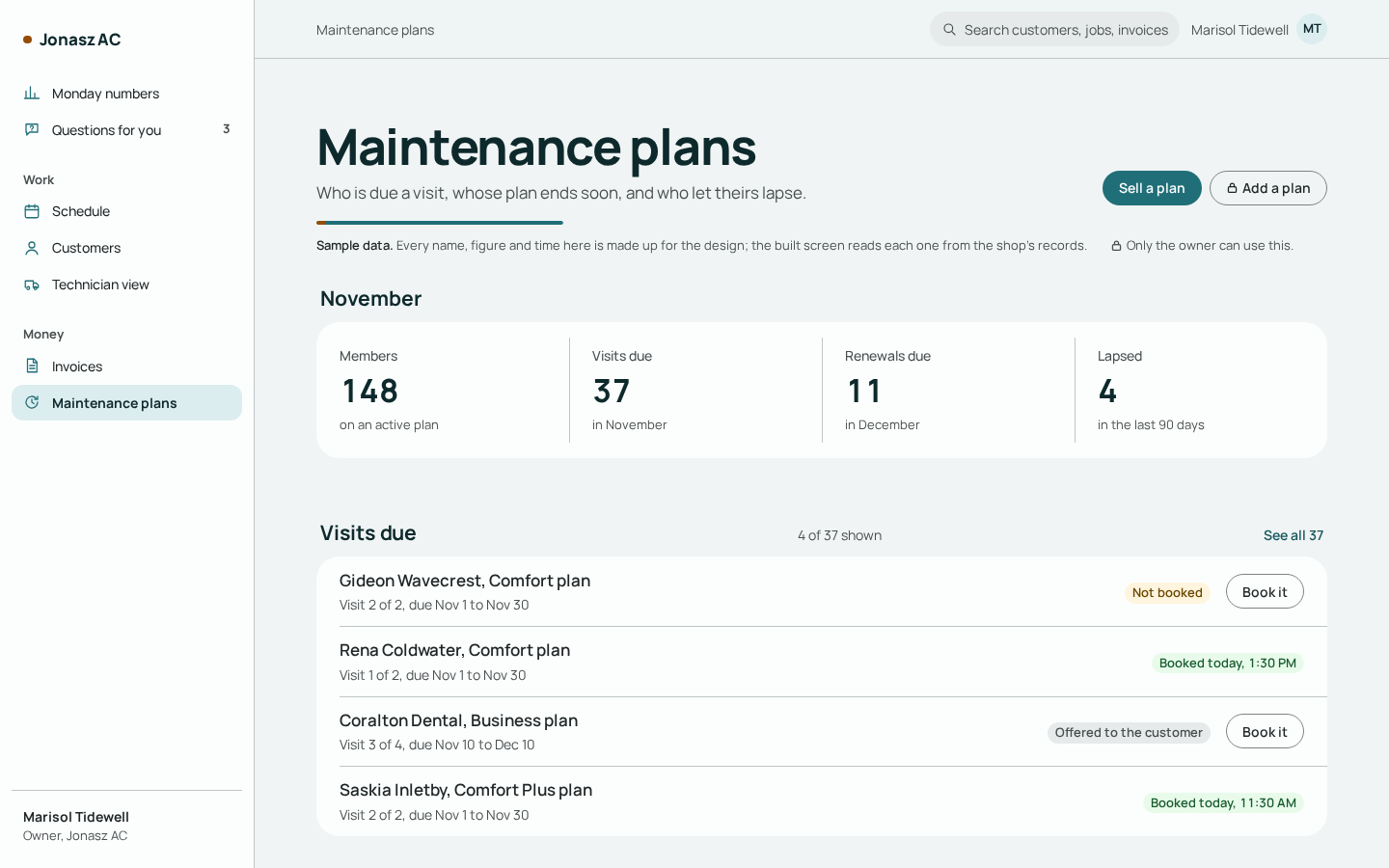
Getting your system is the easy part.
A few short steps are yours. Our teams do the rest.
Who does what
Your part
- Tell us about your shop by email
- Send us an export of your records
- Look it over and sign off
Our part
- Account executiveShows you the system.
- Engineering teamBuilds your system around the way your office works.
- Onboarding teamMoves your records, sets up your office and trains your people.
- Support teamLooks after you once you're live.
Questions owners ask
What does it cost?
You hear the price on a call with an account executive, once we know what your shop needs. That way the number fits your shop.
How do my old records get across?
From an export of your old system's records. The import is written for your export and checked with you before anything moves. Each row either moves across or lands on a list with the reason. How moving your records works